
One funnel, several domains
Plenty of funnels do not live on one domain. The marketing site is on the apex, the app is on a subdomain, and somewhere in the middle a visitor signs up. That is one journey, and Tiny Funnel treats it as one, but there are five things to get right.
This page is the checklist. The mechanisms behind it are covered in full by one visitor, one journey and server-side events.
1. List every domain the funnel runs across
A funnel only accepts hits from domains you have listed in the Install panel, so list all of them: the marketing site, the app, and anywhere else the funnel goes. See installing the tag for where that list lives.
Two details worth knowing:
- A subdomain is its own entry.
example.comdoes not coverapp.example.com. Add both. - Apex and
wwware the same thing. List either and both work.
Domains on one funnel also share visitor identity, which is the next section. A domain you forget to list has its hits refused, and the Install panel says so.
2. The visitor carries across your own domains already
When someone clicks a link from one of your listed domains to another, the script attaches the visitor's id to the URL and strips it from the address bar on arrival. The second domain continues the same visitor rather than minting a new one. Links to anyone else's site are never touched.
For URLs your own code builds, rather than a link somebody clicks:
window.location = tf.link("https://app.example.com/signup");
And where there is no click at all, because the next step is an email, your backend can append the id to the link it sends. The identity docs have the recipe.
3. Identify signed-in visitors
The link handoff covers your own domains. It cannot cover a hop through somebody else's.
A marketplace listing, an OAuth screen or a payment provider sits in the middle of the journey and hands the visitor onward with its own URL, so the parameter does not survive the round trip. The same is true of a link opened on a phone when the visit started on a laptop.
The fix for both is to hand over an id you already have, once the visitor signs in:
<meta name="tf-user" content="42">
or from code:
tf.identify("42");
Use a stable id you already key your users by, a database id rather than an email address. From then on the person is the thread rather than the browser, and the journey joins up across the hop, across devices, and across any domain in the list.
If your app takes the visitor through its own sign-in before it knows who they are, carry the id through your session and identify on the first page after the callback.
4. Send the visitor token on server events, not just the id
A conversion that finishes in your backend gets posted to the server-events API, which matches it to a visitor by external_id first, then visitor_token, then IP.
Send both of the first two whenever you can. external_id is the strongest matcher, but on a brand-new sign-up it can be a beat behind the event.
Here is the shape of it. Somebody installs or subscribes, your backend fires the event, and the browser is identifying that same person at that same moment. If the event arrives first, there is no visitor holding that id yet and the event matches nobody. The visitor token has no such problem: it exists from the visitor's first pageview, long before anyone signs in, so it is the matcher that is already there when a conversion lands early.
Read the token client-side with window.tf.visitor(), store it against the user or the order, and send it alongside external_id. Unmatched events are recorded on the Install panel's server tab, which is where to look if a new integration is quiet.
5. Scope a step to one domain
By default a page view step matches on the path alone, so /pricing on the marketing site and /pricing in the app both count.
Usually that is what you want. It stops being what you want when people can arrive directly at the app without ever seeing the marketing site: a marketplace install, a shared invite link, a returning customer going straight to the login page. Those arrivals land on step one and count as front-door entrants of a funnel that is meant to be measuring marketing.
Every page view and click step has a domain select under its name. Set the first step to your marketing domain and the funnel's front door becomes the marketing site specifically.
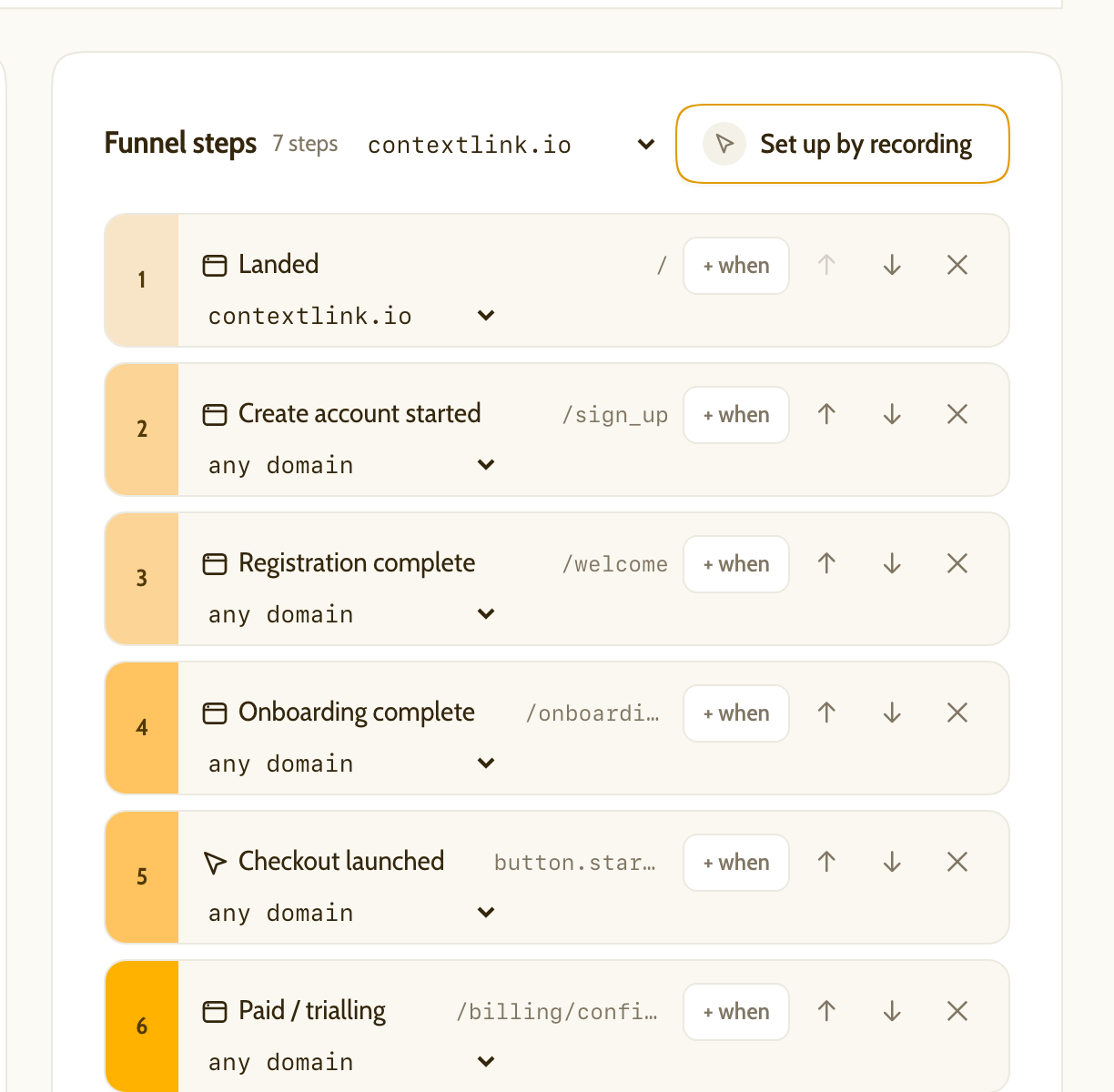
What happens to the direct arrivals: they are still tracked, still identified and still counted when they convert. They just no longer count as having walked in the front door. They show up as visitors who skipped step 1, which the dashboard has a checkbox for, so you can read the funnel with or without them.
Two things to know before you set it:
- It applies from now on. Steps are matched as the hits arrive, so earlier visits keep the step they were measured against. The funnel does not redraw historically.
- A funnel with one domain preselects it on new steps. Add a second domain later and those steps still name the first one, so they will exclude the new domain until you switch them to "any domain", which stays at the top of the list.
Quick reference
| What you want | What to do |
|---|---|
| One journey across your own domains | List every domain in the Install panel |
| A journey through a marketplace, a payment provider or a second device | tf.identify() or a tf-user meta tag |
| A backend conversion to attach on a fresh sign-up | Send visitor_token as well as external_id |
| The funnel to start on the marketing site only | Scope the first step to that domain |
If you want to ask these questions of a live funnel rather than read about them, the MCP server will answer them in chat.